Everything Lean For Leaders And Their Teams

Building Continuous Improvement Management Systems

Lean Consulting

Lean Training

Lean Products

Lean Support Services

Forms and Tools

Lean Dictionary

Consulting Training Products Services Forms Dictionary

Call us at 1.800.670.5805

Email UseView Cart

Gotta Go Lean BlogView Cart

Gotta Go Lean Blog

Using Video to Support the Process Walk


I was talking to a consulting client the other day, and mentioned that it would be helpful to use a video camera to record a secondary process that would affect a kaizen team’s decisions. This other location is quite a long ways away, so it would chew up a lot of time in the car that could be better spent making improvements. The conversation gave me an idea for a blog article on the use of a video camera to support a process walk.
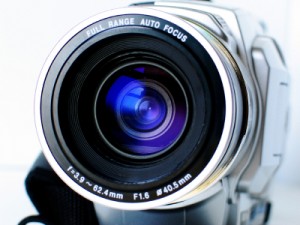
Video Process Walk

A video of the process is a good option when there are time restrictions, such as in the instance mentioned above, or for a few other reasons.

  1. The process is a long one. Watching several cycles can be done more quickly with a fast-forward button.
  2. There isn’t a lot of room. Many people can watch a projector screen, but may not be able to crowd around an operator.
  3. When the process is inconvenient. If it takes too much time to review a process, and it is not central to the kaizen, a video review is a good alternative.
  4. To get a second opinion. Not every kaizen will be led by an expert. When a team needs a little assistance, a quick review by an expert, whether in-house or a consultant (I happen to know of a good one…), can make a big difference to a team.
  5. To catch problems. It is far easier to scan through a video for abnormal conditions than to sit in an area watching for days on end.


Now just a few words of warning on the use of video during the process walk.

  1. Don’t use video instead of standing and watching a process. The video camera doesn’t replace your own eyes. You need to spend time at gemba watching the process first hand. Cameras don’t provide the insight you can get from turning your head to watch the flow.
  2. Get permission. Some people are camera shy, and others won’t trust you. Negotiate with the people you are watching, and follow up on the concessions you make (i.e. destroying the video at the end of the week, limiting who watches it, etc.) If someone has a problem being recorded, follow someone else. I’ve never been refused by everyone on a whole team.
  3. Get a good vantage point. Make sure to mount the camera where it can capture what you need it to. I’ve sent a camera up on an aerial work platform (scissor lift) to capture a big process, and I’ve used them for close-ups of detail work.
  4. Protect your camera. Manufacturing facilities are hard on cameras. Use common sense on how you keep your camera safe.
  5. Record a computer screen. You’d be surprised how many hidden processes are in office work. Capturing screen activity is a good way to highlight them. You can spend a lot of money on software to record a screen, or you can point a camera at it. It won’t be high quality, but the flicker is tolerable while you watch what is happening. Generally, the over-the-shoulder angle is the best. Again-be careful with your camera.
  6. Ask for narration. An operator or administrator can talk to the team through the camera. Let them know that they can essentially place notes on the process simply by talking. Make sure that they know you may be fast-forwarding through parts, so there’s no guarantee you’ll hear everything.

I am always looking for new tricks and tips. Do you have any other examples of how you’ve used technology creatively to improve your process walk?

Add a Comment

Share Your Thoughts    |1 comment|

February 8th, 2010

Learn about

the author,

Jeff Hajek.

Don't forget to sign up for my Gotta Go Lean Blog.

Via RSSrss-feed-3d

Dopwnload our free Lean forms and Tools

Other Information You May Be Interested In...

  1. Kaizen Process Walk (Office) Training Module A process walk is a thorough review of the work being improved to establish the baseline "before" conditions and gain a more thorough understanding of the operation. This class...
  2. Office Kaizen Process Walk Lean Training on PowerPoint In the Lean office, a process walk is a thorough review of the work that is going to be improved. It establishes the baseline ‘before’ conditions and helps the...
  3. Office Kaizen Process Walk Student Guide Learn more about our Office Kaizen Process Walk Student Guide. This student guide is part of our Lean Training System. Pages: 6 Regular Price: $8.99 ...
  4. 5 Whys Video on Velaction Some of our viewers in certain regions of the world do not have access to YouTube. In order to serve them better, I’ve posted the 5 Why’s/Root Cause Analysis Training...
  5. Standard Work-in-Process (+ Lean PDF, + Video) Standard work-in-process (or Standard WIP, or SWIP) is the designated minimum amount of material needed to keep your Standard Work flowing. It is one of the three main components of...
  6. Lean Video Training Lean Video Training In addition to our many Lean training products and services, we offer a growing line of Lean video training to support your continuous improvement education. Many of...

Comments and Feedback:

Please leave feedback about this post.

One Comment

Leave a Reply

You must be logged in to post a comment.